Milestones
Level ups, achievements, first visits to a zone, discoveries, reputation standings and profession skill, from 1 and every 25 points.

World of Warcraft addon
Your character's story, recorded as you play: levels, loot, bosses, rares, dungeons and quests, each with the time and the spot on the map, and a screenshot of the big moments. Then read it back here, day by day.
Every moment keeps the time, your level, the zone and your map coordinates.
Level ups, achievements, first visits to a zone, discoveries, reputation standings and profession skill, from 1 and every 25 points.
Dungeon and raid bosses with the number of tries, rares and rare elites you killed, and each dungeon run from entering to leaving, deaths included.
Every green, blue, purple and orange item you get and where it came from, plus new mounts, pets and toys.
Gold earned and spent by source (loot, quests, vendors, flights, mail, the auction house), currencies, and how long each session lasted.
A screenshot a second after a level up, a boss or rare kill, an achievement, an epic item or a new zone. Choose which moments in /chronicle settings; your own Print Screen shots are noted too.
A Chronicle window with your timeline, milestones and screenshots, filters and search. Open it from the gold shield on the minimap, a key binding or /chronicle.
The viewer turns what the addon saved into a story, a screenshot gallery, maps and charts.
Day by day, newest first, with your screenshots matched to the moment they belong to. Items, quests and achievements have Wowhead tooltips.
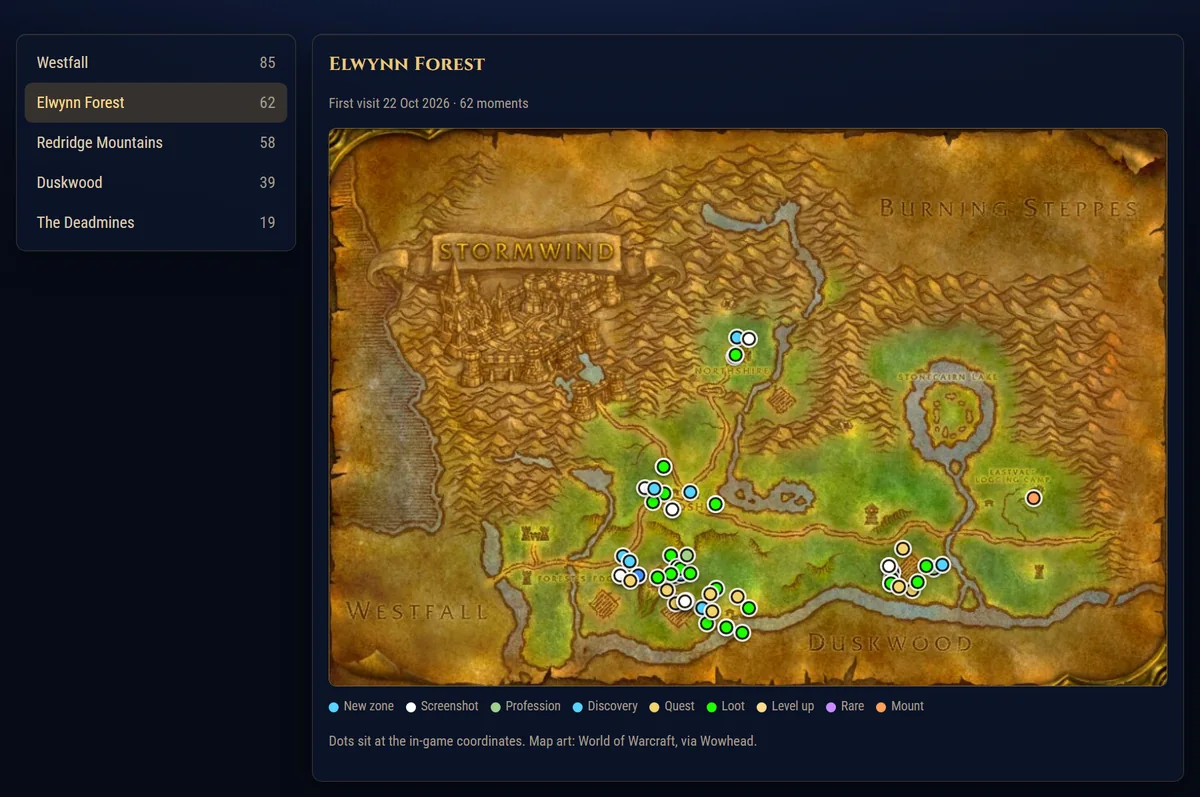
Every moment as a dot on the real zone map, with Classic maps for Forever and modern maps, dungeon floors included, for Retail.
Level by date, time played per day, gold in and out, items by quality, bosses, rares, deaths, professions, reputation and dungeon runs. Switch between characters at the top.
GildedChronicle.World of Warcraft\_forever_\Interface\AddOns and/or World of Warcraft\_retail_\Interface\AddOns./reload doesn't pick up a new folder). If the AddOns list says "out of date", tick "Load out of date AddOns"./chronicle to see it./reload: the game only writes the addon's data to disk then.World of Warcraft\_retail_\WTF\Account\<ACCOUNT>\SavedVariables\GildedChronicle.lua (_forever_ for Forever).World of Warcraft\_retail_\Screenshots folder to see the pictures with their moments.The files are read in your browser and never uploaded. Gilded Chronicle works on its own or next to Gilded UI.